Overview
Every AI LinkedIn tool I tried had the same problem: it forgot everything the moment I closed the tab. Ask it to write a post about something I learned last week, and it had no idea what I learned last week. So it wrote generic filler instead—the kind of post that reads like it was written by nobody, for nobody.
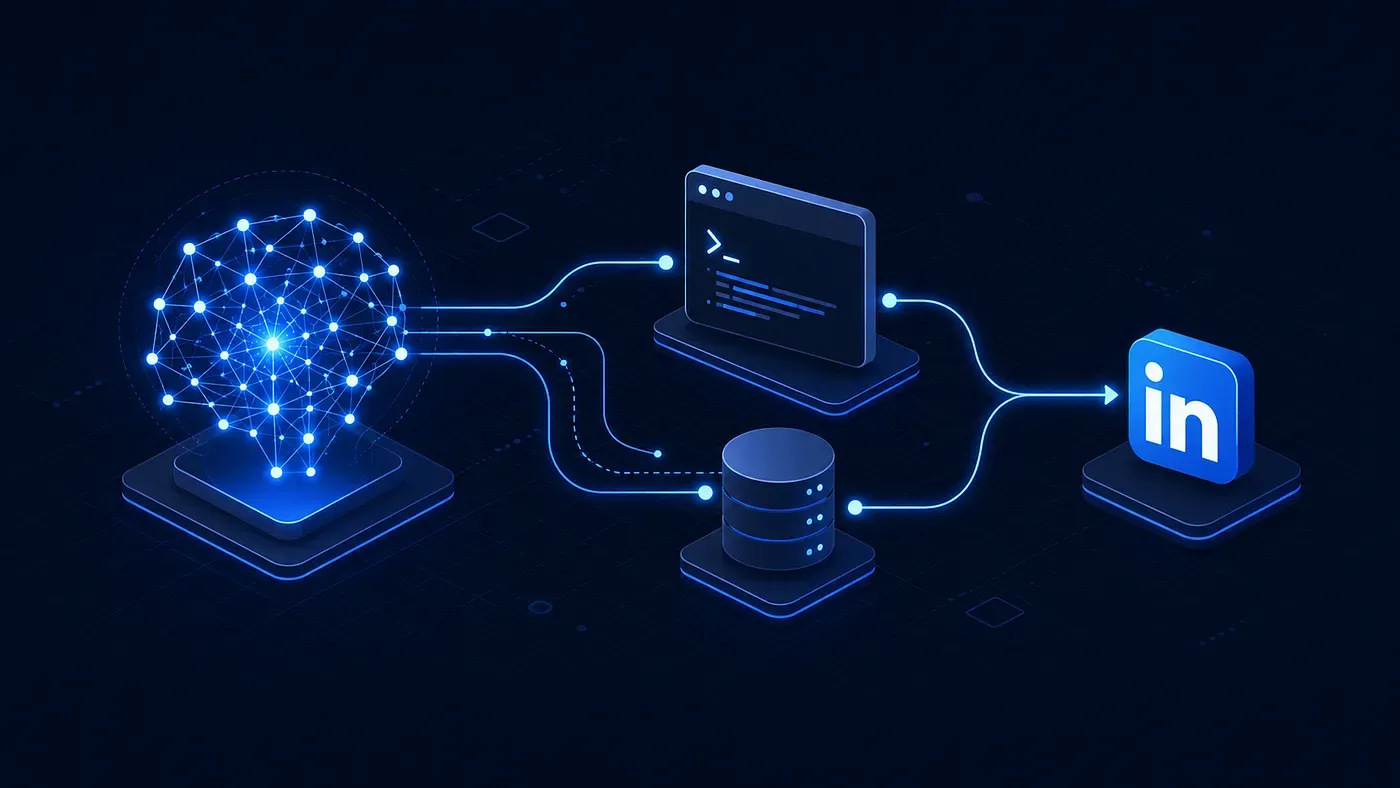
I wanted something different: an agent that remembers what I am learning, drafts posts that actually sound like me, and publishes through LinkedIn's real API instead of scraping cookies and hoping my account does not get flagged. So I built one, using the Model Context Protocol.
Why MCP Instead of Just Another Script
The obvious approach is a script: feed an LLM a prompt, get text back, paste it into LinkedIn manually. That works exactly once. The moment you want memory, image uploads, or draft versioning, you are back to writing glue code for every new AI client you try.
MCP flips that. You expose your capabilities—save a learning, draft a post, publish it, pull analytics—as tools with defined schemas. Any MCP-compatible client, whether that is Claude Desktop, Cursor, or something else entirely, can discover and call them the same way. Build the server once, and every future AI client gets the same superpowers for free.
So the stack became: TypeScript for the server, SQLite in WAL mode with Drizzle ORM for local memory, and LinkedIn's official REST API for publishing—no browser automation, no session cookies, no accounts getting silently restricted.
Step 1: Authenticating Without Scraping Cookies
Most "LinkedIn bots" grab your li_at session cookie and impersonate your browser session. It is fragile, and it is the fastest way to get your account flagged.
I went the boring, correct route: a real OAuth 2.0 flow, run from the command line. In LinkedIn's Developer Portal, I registered an app and added two products—Share on LinkedIn for the w_member_social scope, and Sign In with LinkedIn (OpenID Connect) for openid, profile, and email. Redirect URI pointed to a local callback on port 3000.
Running the auth command spins up a temporary local server, opens LinkedIn's consent screen in the browser, and waits. Once I approve, it catches the authorization code, exchanges it for an access token, and calls LinkedIn's userinfo endpoint to grab my verified person URN:
const userInfoResp = await fetch("https://api.linkedin.com/v2/userinfo", {
  headers: { Authorization: `Bearer ${accessToken}` },
});
const userInfo = await userInfoResp.json();
const authorUrn = `urn:li:person:${userInfo.sub}`;
That URN gets written to a local .env file, and every post the agent publishes afterward is attributed to my actual, authenticated account. No cookies, no impersonation.
Step 2: Giving the Agent a Second Brain
The part I actually cared about was not publishing—it was memory. An agent that can post but cannot remember what I have been working on is just a fancier text box.
Everything lives in a local SQLite database, running in WAL mode so reads and writes do not block each other, with Drizzle ORM handling the schema. Four tables do the work:
learnings: Daily technical takeaways, backed by an FTS5 full-text search index so I can pull up past insights instantly.drafts: Versioned post drafts (v1,v2,v3), each with a status and an array of attached image paths.posts: An immutable log of everything actually published: post IDs, URNs, and character counts.post_metrics: Time-series snapshots of impressions, reactions, and comments to track performance over 24–72 hours.
The drafts table looks roughly like this:
export const drafts = sqliteTable("drafts", {
  id: integer("id").primaryKey({ autoIncrement: true }),
  learningId: integer("learning_id").references(() => learnings.id),
  content: text("content").notNull(),
  imagePaths: text("image_paths", { mode: "json" }).$type<string[]>(),
  version: integer("version").notNull().default(1),
  status: text("status", {
    enum: ["draft", "candidate", "published", "archived"],
  }).notNull().default("draft"),
  createdAt: integer("created_at", { mode: "timestamp_ms" }).notNull(),
});
Because it is all local, there is no per-request cloud cost and no third party holding a copy of every half-formed thought I have had about SQLite locking behavior.
Step 3: Uploading Images the Way LinkedIn Actually Wants Them
This is the part that quietly breaks most homegrown integrations. LinkedIn does not let you attach an image directly—publishing a post with media is a three-step handshake:
- Call
/rest/images?action=initializeUploadto request a signed upload URL. PUTthe raw image bytes to that pre-signed upload URL.- Reference the returned
urn:li:image:...in the post payload.
The trickier part in practice was handling where the image actually comes from—a remote URL, a local path, or a ~-prefixed shorthand path from the terminal. All three resolve to the same buffer before the upload step:
async function loadImageBuffer(source: string) {
  if (source.startsWith("http")) {
    const resp = await fetch(source);
    return {
      buffer: Buffer.from(await resp.arrayBuffer()),
      contentType: resp.headers.get("content-type") ?? "image/jpeg",
    };
  }
  const expanded = source.startsWith("~")
    ? source.replace(/^~(?=$|\/|\\)/, process.env.HOME ?? "")
    : source;
  const buffer = readFileSync(resolve(process.cwd(), expanded));
  const contentType = source.endsWith(".png") ? "image/png" : "image/jpeg";
  return { buffer, contentType };
}
Once that buffer exists, initializing the upload and streaming the PUT request is straightforward. The URN that comes back is what actually goes into the post's payload—the image itself never touches the post object directly.
Step 4: Turning All of This Into MCP Tools
None of the above matters if an AI client cannot actually call it. So each capability gets wrapped as an MCP tool with @modelcontextprotocol/sdk:
learning_save: Save a takeaway, indexed for full-text search.learning_search: Search past learnings and takeaways instantly.draft_save&draft_list: Manage versioned drafts with attached images.linkedin_create_post: Publish a post, single image, or carousel.linkedin_update_post: Edit the text of a live post.linkedin_delete_post: Remove a post from LinkedIn and the local database.linkedin_get_post_metrics: Pull current reactions and engagement.analytics_save_snapshot: Record a timestamped performance snapshot.
Wiring the server into an MCP client is just a config entry pointing at the built server:
{
  "mcpServers": {
    "personal-linkedin": {
      "command": "/opt/homebrew/bin/node",
      "args": ["/path/to/linkedin/dist/server.js"],
      "env": {
        "DATABASE_PATH": "/path/to/linkedin/data/linkedin.db",
        "LOG_LEVEL": "info"
      }
    }
  }
}
After wiring the server into the MCP client configuration, any MCP-aware assistant can call learning_save, draft_save, or linkedin_create_post mid-conversation, the same way it would call a search or file tool.
What Actually Tripped Me Up
Building this highlighted three crucial engineering lessons:
- MCP servers talk over stdio, and stdio does not forgive noise. The protocol runs as JSON-RPC over standard input/output. A single stray
console.log, or a startup banner from a dependency likedotenv, corrupts the stream and silently breaks the client. The fix was disablingdotenvlogging and routing all diagnostic logs tostderrinstead ofstdout. - LinkedIn's API versioning is a moving target. Hardcoding a version header like
LinkedIn-Version: 20240101works until LinkedIn deprecates it, causing requests to fail with426 NONEXISTENT_VERSION. The fix was computing the version header at request time instead of hardcoding it:
const now = new Date();
const currentVersion = `${now.getFullYear()}${String(
  now.getMonth() + 1
).padStart(2, "0")}`;- Autonomy needs a hard stop before "publish." An agent that can save, search, and draft on its own is genuinely useful. An agent that can publish on its own is a liability the first time it misreads intent. Keeping
draft_saveandlinkedin_create_postas separate tools ensures human review before going live.
What This Actually Looks Like Day to Day
The workflow that made this worth building:
- While debugging something, I say: "Save a learning — SQLite WAL mode fixed our write-lock latency in Node.js."
- Later: "Turn that into a post draft, attach the benchmark chart from `~/Downloads/chart.png`."
- The agent shows me the draft and confirms the image resolved correctly.
- I say "publish it"—and only then does it go live.
That is the difference between a tool that generates content and one that actually tracks what I have been doing. The memory is the point. The publishing is just the last, optional step.
CONNECTED / NEXT
Keep exploring
Related work from across this engineering knowledge system.

Why 80% of Enterprise RAG Pipelines Fail Before They Reach the Vector Database
Scrambled tables, dirty OCR, and orphan chunks quietly poison vector search — here's the four-stage pipeline I use to stop it.
OPEN →
Why Direct Text-to-SQL Is Broken in Production
The pattern works great on ten rows of mock data. Here's why it falls apart the moment real users touch it.
OPEN →
Comments